



ACGI Dispatcher

Current Version: 3.0fc1 (November 10, 2008)
On Mac OS versions 9 and earlier, once could write applications that ran as "ACGI programs" in AppleScript or other languages that could handle Apple Events. Under OS X, Apache doesn't know how to send Apple Events, so you're out of luck. Apple includes an "ACGI Enabler" program with OS X Server, but chose not to include that with the standard edition. ACGI Dispatcher allows you to use traditional AppleScripts - or other programs that ran as ACGI programs under OS 9 - on OS X with Apache.
Version 3.0 adds/changes the following:
- Leopard compatibility
- Universal binary
- Ability to talk to bundled applications
User Reviews
Currently, no user reviews have been submitted. Send me yours!
AmphetaDesk



Current Version: 0.93.1 (October 31, 2002)
AmphetaDesk is a remarkable program. In short, AmphetaDesk is a news aggregator - it sits on your desktop, downloads the latest news that interests you, and displays them in a quick and easy to use (and customizable) web page. AmphetaDesk actually functions as a simple web server (written in Perl but not requiring a separate download of the MacPerl package) that contacts and collects news from selected XML-based (RSS) news sites to be combined and served in a simple web page format that is served to your web browser (or to other people's browsers, should you care to broadcast the address of your server) by your very own computer.
All this is not as complicated as it sounds; using it is a download-and-double-click affair, and customization and selection of content is done through your web browser. Because it's written in Perl, however, AmphetaDesk runs more slowly than you might like, and it may have a speed impact on other running applications. That said, it's an awful lot of fun, and since it's absolutely free and the source code is available, it's worth a look by any geek who can't get enough news - yours truly included.
Version 0.93.1 makes a whole slew of changes, all of which are fully detailed on the AmphetaDesk CHANGELOG page.
User Reviews
Currently, no user reviews have been submitted. Send me yours!
BlueDragon

Current Version: 7.0.1.352 (November 30, 2007)
New Atlanta Communications, LLC produces BlueDragon, a low-cost ColdFusion Markup Language (CFML) application server that is widely used and admired. BlueDragon is available for Mac OS X in two editions: Server and Server JX.
The BlueDragon Server family of Java-based servers (Server and Server JX) enables the stand-alone deployment of CFML. Both BlueDragon Server versions contain a built-in web server for development and testing, and each integrates with Microsoft IIS, Sun ONE/Netscape/iPlanet (JX only), and Apache web servers for deployment.
Those looking to replace CFML with ASP or PHP due to budgetary reasons might consider sticking with CFML instead, deploying the base version of BlueDragon Server on Windows, Mac OS X or Linux platforms for free. BlueDragon Server includes support for CFCs, XML, Web Services, and Java and C++ CFX tags.
BlueDragon Server JX adds additional functionality to BlueDragon Server, including precompiled/encrypted CFML templates, J2EE session management, enterprise database drivers, support for SSL, support for additional OS/web server combinations - plus the ability to deploy hybrid CFML/JSP web applications (including shared access to data within J2EE sessions, ability to perform includes between CFML and JSP pages, calling Java objects from CFML, and more).
BlueDragon Server is free and BlueDragon Server JX is $899. See the BlueDragon Feature Comparison matrix for more information on the differences between BlueDragon Server and BlueDragon Server JX.
Version 7.0.1.352 adds/changes the following:
- Fixed #2691: Internal Server Error when connection attribute is excluded from a cfftp tag
- Fixed #2962: comparing strings containing only days of the week always returns true
- BlueDragon 7.0.1 final release
User Reviews
Currently, no user reviews have been submitted. Send me yours!
ColdFusion
Current Version: 9.0 (October 8, 2009)
Adobe (formerly Macromedia, Inc.) produces the ColdFusion web content server, written in Java for Mac OS X.
Version 9 includes a variety of fixes and enhancements that are best described in the online release notes. Highlights include:
- ColdFusion 9 unveils three main themes: unrivaled developer productivity, deep enterprise integration, and simple workflow with Adobe Flash Builder, Adobe AIR , and AJAX software to create expressive applications.
- Office file interoperability lets you easily read, write, and update spreadsheets; Object Relational Mapping lets you build database independent applications without writing SQL; and Server Manager lets you centrally manage multiple ColdFusion servers, simplifying administration of your environment across clusters.
- This release has improved application performance with more granular control over code, templates, and applica- tions.
- You can integrate ColdFusion applications across a multitude of technologies in the enterprise environments. Also, you can leverage enterprise services from ColdFusion 9 to access data from existing infrastructure including Microsoft SharePoint, Exchange, .NET, Java Objects, and IMAP.
- Integration between ColdFusion and the Flash Platform empowers you to build rich Internet applications from client to server easily. This release has built-in support for Adobe AIR Local/Remote Database Synchronization.
- Enhanced Ajax controls facilitate building of visually pleasing applications with improved usability. You can achieve this by writing less code and not bothering about the inner workings of Ajax.
User Reviews
Currently, no user reviews have been submitted. Send me yours!
CommuniGate Pro
Current Version: 5.2.20 (May 10, 2010)
Stalker Software makes the incredibly powerful and robust CommuniGate Pro Internet messaging server, which covers the gamut from faxing to POP mail.
Single server and cluster licenses are available, with prices ranging from $849 and up.
Version 5.2.20 adds/changes the following:
- Bug Fix: CALLLEG: 5.1.2: the Replaces "method" parameter was checked incorrectly.
- Bug Fix: CG/PL: 5.1c1: the DateByYearDate function returned a result for a previous year.
- Bug Fix: SIGNAL: 4.3c1: minimum and maximum REGISTER period limits were not applied to the "expires" Contact parameters.
- Bug Fix: SIGNAL: 5.2c2: the Dialog Info data was not copied when retrieved, causing various problems under heavy load.
- Bug Fix: DIRECTORY: 3.0: Local Unit modification records longer than 32K could not be read.
- Bug Fix: MAILBOX: 5.2c1: hard-links were never used for messages in MailDir mailboxes.
- Bug Fix: Kernel: 5.2.4: when an external certificate was verified, the stock certificates were used incorrectly.
- Bug Fix: CLI: 5.2c1: incorrect parameters for the GETACCOUNTSTAT and RESETACCOUNTSTAT commands could crash the server.
- Bug Fix: WebUser: 5.2.10: the HiddenSkins setting could not be used to hide the "unnamed" (Basic) Skin.
User Reviews
Currently, no user reviews have been submitted. Send me yours!
CrushFTP
Current Version: 5.1.1 (June 23, 2010)
CrushFTP is a cross-platform, Java-based file server that provides FTP, SFTP (SSH FTP), FTPS (FTP over SSL), HTTP, HTTPS, WebDAV, and WebDAV SSL services. The "Crush" in CrushFTP comes from its ability to compress transfers on the fly seamlessly.
CrushFTP provides an expandable feature set via plugin support. Currently, most CrushFTP plugins are free, and they include:
- AutoUnzip (decompresses .zip files when a user uploads them)
- MagicDirectory (make a directory, and a user can login)
- WebStatistics (OS X widget to monitor your server)
- CrushSQL (use SQL tables to load your users from)
- LaunchProcess (launch external actions on uploaded files)
- HomeDirectory (make a user, and their home folder and permissions are created automatically)
- CrushLDAP (use ActiveDirectory, or LDAP to load your users from)
- BlockContent (only allow files with specific extensions)
Version 5.1.1 adds/changes the following:
- Initial support for UDP tunneling for faster transfers (Enterprise Licensed Customers only)
- UDP support includes FTP proxy, SFTP proxy, and HTTP/TCP proxies (Enterprise Licensed Customers only)
- Warns if you use different versions of CrushFTP for remote admin and actual serving
- Added case sensitive filtering flag on dir listings
- Added flag for controlling FTP proxy mode on non standard FTP dir listings
- Defaults to Binary mode if the using FTP and the user never specified (flag can control this)
- Significantly improved proxy performance
- Folder monitors can now run in intervals of seconds if the value is negative
- Added flag to allow disabling the stats DB engine
- Fixed memory consumption scenario for FTP transfers
- Set AES ciphers to be higher priority by default
- Added support for higher strength AES ciphers in SFTP if your Java has the right policy files
- Added support for automatically resuming failed uploads or downloads with the FTP proxy
- Added mdtm_gmt flag to make MDTM use GMT format for dates
- Alert's can now execute a plugin by specifying it in the "To:" header. Example: PLUGIN:CrushTask
- Added flag for determining if reports should be emailed in HTML or Plain Text mode
- Added support for SFTP key renegotiations
- A CRITICAL BUG in CrushFTP 5.1.0_37-5.1.0_45 was fixed. (Denial of Service)
- Fixed bug saving changes to the connection groups
- Fixed bug where the last window size wasn't being preserved
- Fixed log location filename
- Fixes bugs when reading in ASCII mode to prevent character translation
- Fixes potential port conflict bugs with port race conditions on Solaris
- Fixed bug with the SCP handling of flags
- Fixed bug creating the default user in MySQL
- Fixed idle handling for HTTP sessions
- Fixed bugs with Safari 5
- Fixed bug with Flash 10.1 removing menu items
- Fixed bug with HTTP sessions behind a reverse proxy
- Fixed bug with owner/group/priv information with non ASCII filenames
User Reviews
Currently, no user reviews have been submitted. Send me yours!
DansGuardian
Current Version: 2.10.1.1 (June 8, 2009)
DansGuardian is an award winning web content filtering proxy for Linux, FreeBSD, OpenBSD, NetBSD, Mac OS X, HP-UX, and Solaris that uses Squid to do all the fetching. It filters using multiple methods. These methods include URL and domain filtering, content phrase filtering, PICS filtering, MIME filtering, file extension filtering, POST limiting. The content phrase filtering will check for pages that contain profanities and phrases often associated with pornography and other undesirable content. The POST filtering allows you to block or limit web upload. The URL and domain filtering is able to handle huge lists and is significantly faster than squidGuard. The filtering has configurable domain, user and source ip exception lists. SSL Tunneling is supported. The configurable logging produces a log in an easy to read format which has the option to only log the text-based pages, thus significantly reducing redundant information such as every image on a page. Pretty much all parts of DansGuardian are configurable thus giving the end administrator user total control over what is filtered and not some third-party company.
DansGuardian 2 is:
- free for non-commercial use
- not free for installation by 3rd parties charging for installation or support
- not free for commercial use
- licensed under the GPL
Version 2.10 is the first new "stable" release since August 2005, and includes a host of changes from the 2.8 series. Here are the highlights:
- Built-in content scanner plugin system which includes AV scanning
- NTLM and persistent connection support
- Header analysis and manipulation so you can manipulate cookies
- Large file (2GB+) download & scanning support
- Autotools build system
- URL regular expression replacement so you can force safe search in Google
- Deep URL scanning to spot URLs in URLs to for example block images in Google images
- Advanced advert blocking
- Many performance improvements
- Updates to handle all current web technology trends
- Blanket SSL blocking so you can block SSL anonymous proxies and allow access to legitimate SSL sites such as banking by whitelisting
Version 2.10.1.1 is a bugfix release that makes the following additional changes:
- Add "originalip" option to dansguardian.conf, for determining the original destination IP in transparent proxy set-ups, and ensuring that the destination domain of the request resolves to that IP. This can help to address a particular transparent proxy security vulnerability (US-CERT VU#435052), but because of certain limitations - only implemented on Linux/Netfilter; potential breakage of websites using round-robin DNS - the code is not enabled by default. Enable by passing "--enable-orig-ip" to the configure script.
- Fix a crash which could occur when dealing with simultaneous incoming connections in configurations using more than one listening socket.
- Fix a crash when checking time limits on item lists.
- Fix potential usage of uninitialised memory during phrase filtering.
User Reviews
Currently, no user reviews have been submitted. Send me yours!
DigiChat
Current Version: 5.1 (March 3, 2005)
Digi-Net Technologies, Inc. produces DigiChat, a Java-based client and server chat system for Web content providers. DigiChat and its sister product - DigiChat AV - feature a number of features that are summarized on the DigiChat Feature Set page.
User Reviews
Currently, no user reviews have been submitted. Send me yours!
DNEWS
Current Version: 5.7e1 (May 7, 2004)
NetWin, Ltd. produces DNEWS, one of the few NNTP news server systems available for the Mac, although it does not see much updating these days, as NetWin appears to be pushing its heir apparent, SurgeNews, which isn't yet available for Mac OS X.
User Reviews
Currently, no user reviews have been submitted. Send me yours!
DNS Enabler
Current Version: 2.1.1 (July 10, 2007) / 3.0.4 (August 4, 2008) / 4.0.5 (March 12, 2010)
DNS Enabler is an inexpensive shareware application that takes the work out of configuring BIND, the DNS server built into Mac OS X. According to the authors, DNS Enabler "tries to be as buzzword-compliant as possible - it handles multiple virtual domains, multiple subnets, aliases, MX records (including specifying back-up servers on other networks), and creating the right number of reverse pointer and CNAME records - while doing it all using a single window, the Mac way."
Version 2.1.1 - the latest release for Mac OS X 10.3 & 10.4 - adds/changes the following:
- Fixed a bug which occurred when there is a domain, e.g. called ABC.com, and another, say, xyzABC.com which contains the same letters as the first domain. DNS Enabler got confused when it had to process both these domains in the same list. This has been sorted out and DNS Enabler is smarter now about these things.
Version 3.0.4 - the latest release for Mac OS X 10.5 (Leopard) - adds/changes the following:
- Fixed the config file to work with Apple's latest BIND 9.4.2-P1 update. Eliminates the "using specific query-source port suppresses port randomization and can be insecure" warning.
Version 4.0.5 - the latest release for Mac OS X 10.6 (Snow Leopard) - adds/changes the following:
- One cosmetic change - the question-mark icon for the new Dynamic DNS Update feature does not "stick" to its position when the window is re-sized. This has been fixed.
- Also the Authorisation Key generated for DNS Agent now also contains the name of the DNS Server to allow DNS Agent to be pre-filled with the name of its home DNS Server when its Authorisation Key is installed.
User Reviews
Currently, no user reviews have been submitted. Send me yours!
DNS Helper
Current Version: 1.6 (November 7, 2003)
DNS Helper is a free application that takes the work out of configuring BIND, the DNS server built into Mac OS X. DNS Helper allows you to:
- Create zone, domain, db.cache, and named.conf files for your BIND server without the need to understand the formatting of those files.
- Set the needed permissions and ownership on the files after they are created.
- Install the files for you into the active system.
- Have total control over the DNS Server with the ability to start, stop, and reload BIND.
- Set the DNS Server to start at boot time.
- Read and save the system.log, filtering out the non-DNS Server related entries if desired.
Currently, DNS Helper does not do the following:
- Edit or maintain existing files.
With the 1.5 release, DNS Helper became a full replacement for Mac OS X Server's Server Settings DNS module. Actually, it can do quite a bit more than the Apple software can as of Spring, 2003.
User Reviews
Currently, no user reviews have been submitted. Send me yours!
Elektron
Current Version: 2.1.2376 (October 4, 2009)
Periodik Labs (formerly Corriente Networks LLC) produces Elektron, which is a software-based server that provides RADIUS/802.1X authentication services for Wi-Fi networks.
While version 2.1 is a bugfix release, version 2.0 added/changed the following:
- Authentication Domains - Authentication domains allow you to map users to different authentication sources based on the user's domain. For instance, "user@foo.com" can be authenticated against your Active Directory, while "user@bar.com" can be authenticated against a remote LDAP server. Even if you have only a single domain, this feature gives you the ability to add support for guest accounts: configure "company.com" to authenticate against your company's user directory, while "guest.company.com" is configured to use Elektron's built-in user database for easy temporary account creation.
- FIPS 140-2 Validated Cryptographic Module - Elektron version 2 uses a cryptographic module that has been tested and validated under the NIST Cryptographic Module Validation Program as meeting requirements for FIPS PUB 140-2, enabling its use in certain government and financial industry applications.
- MAC Address Authentication Simultaneous use of MAC address and standard user account authentication is supported in Elektron version 2, and is fully configurable on a per-access point basis.
- Full Windows Vista Support - Elektron's Windows Vista feature set has been updated to include full support for installation on Vista (including UAC support) and to authenticate Windows Vista clients when installed on any supported platform.
- SNMP - Elektron can be configured to to respond to SNMP management information requests in accordance with the standardized RADIUS MIBs, and to issue SNMP traps is response to a user-configurable set of server events.
- Authorization Policies - Policy support has been enhanced in Elektron version 2, with new support for triggering actions based on string pattern matching of the username, account groups, access points, and MAC addresses. Support for external scripts includes the ability to trigger policies based on the script result, and to have an external script act upon the result of the policy. Also included is greatly simplified configuration of VLAN assignment, one of the most common uses of authorization policies.
- EAP-FAST - Support for Cisco's EAP Flexible Authentication via Secure Tunneling protocol makes its debut in Elektron version 2.
- Least Privilege - Elektron version 2 honors the "principle of least privilege," in which the server performs its normal functions at the lowest possible level of security privilege, closing potential avenues of attacks on your server.
User Reviews
Currently, no user reviews have been submitted. Send me yours!
Eudora Internet Mail Server
Current Version: Server: 3.3.9 (March 2, 2009) / Admin: 3.3.7 (July 21, 2008)
Formerly known as Apple Internet Mail Server (AIMS), Qualcomm once bought and renamed this freeware SMTP server program that can be used on its own or in tandem with Eudora. As of December, 2001, however, original author Glenn Anderson licensed the product back to himself for future development, while keeping the Eudora badge.
EIMS - as it is commonly known - is very easy to set up, and quite reliable. Version 3.2.10 makes several fixes that are described in detail in the online release notes.
EIMS involves two pieces of software: the actual server itself, and the EIMS Admin administrative console application.
Version 3.3.9 of the server adds/changes the following:
- Fixed IMAP bug in 3.3.8
- Improved IMAP handling of malformed messages
- Fixed stuck queues on Intel after deleting, forwarding, or bouncing a message
Version 3.3.7 of the administrative console adds/changes the following:
- Fixed Command-Q not working in login window on OS X
- Fixed popup menu sizes on Leopard
- Fixed Account Enabled checkbox not being disabled for postmaster accounts
- Mouse wheel/trackpad scrolling now works in windows that aren't the front window
- Better reporting of lookup errors
- Fixed crash when default domain was longer than 53 characters
An upgrade from version 3.2.x costs $60; a full version costs $400. EIMS Light is also available for $200; it supports all of the features of the full version of EIMS, except it only supports one domain (with domain aliases), has no IMAP server, no directory server (LDAP and Ph), no AppleEvent/AppleScript support, and no Incoming Mail folder.
Qualcomm sales and technical support are not supporting EIMS 3. Qualcomm will, however, continue to support EIMS 2.x and 3.0.x; see http://www.eudora.com/techsupport/eims/ for more information.
User Reviews
Currently, no user reviews have been submitted. Send me yours!
 the standard Classic Mac OS demonstration server (3.3.7).
the standard Mac OS X (Carbon) demonstration server (3.3.7).
 to the EIMS updater page to choose from a huge variety of updaters to suit different scenarios.
the "Classic" administrative console (3.3.7).
the Mac OS X (Carbon) administrative console (3.3.7).
EvoCam
Current Version: 3.6.8 (June 3, 2010)
EvoCam (formerly CoolCam) is a webcam server application for Power Macintosh, PowerBook, iMac and iBook computers running Mac OS X 10.4 (or higher). EvoCam provides true WYSIWYG editing of text captions, picture badges, clocks and blur items, all floating on top of live video from your camera. Mac OS X users: Currently, Mac OS X supports only FireWire DV cameras. Please contact the manufacturer of your camera to ask about support for Mac OS X.
Version 3.6.8 adds/changes the following:
- Added ability to control camera pan, tilt and zoom using control in Items tab
- Fixed several issues affecting application stability
EvoCam is shareware. Site licenses are $250 and world-wide site licenses are $500.
User Reviews
Currently, no user reviews have been submitted. Send me yours!
eXodus
Current Version: 9.0 (June, 2003)
Powerlan USA, Inc. produces the eXodus series of X servers for Mac OS 9 and Mac OS X. Features include:
- Security through TunnelMate Secure Shell Security Client
- Connect to both remote and local X clients
- Enhanced rootless screen support for X Desktop environments
- Traditional rooted screen support
- Fully X11R6.4 compliant
- Hardware accelerated OpenGL
- Increased XDM Security
- Xauth user access control
- Compressed pcf font support
- Rootless (Mac OS X Aqua, Classic Mac OS, & Motif) Window Styles
- Euro support
User Reviews
Currently, no user reviews have been submitted. Send me yours!
FirstClass
Current Version: Client: 10.009 (January 25, 2010) / Server: 10.0 (August 30, 2009)
Centrinity produces the FirstClass email and workgroup communication/collaboration system. Server software includes FirstClass Business Edition and FirstClass Education Edition.
FirstClass Client 10.009 is primarily a bugfix release; version 10.0 added/changed the following:
- Social Media - Social Media is a new state-of-the-art browser based interface that offers customers all the social networking offerings (wikis, blogs, tagging, profiles, etc.) in a safe collaborative environment. For users of FirstClass 10 and Social Media there will be various ways to toggle between the two applications.
- FirstClass software integrates easily with Social Media. Users can use either interface to access discussions, and blogs. From the client there will be various ways to toggle between the two applications.
- Mobility - In July 2009, the FirstClass iPhone and iPod Touch App was released. With FirstClass Mobile, iPhone, and iPod touch users can now take FirstClass with them on the road, and have all of the power of FirstClass in the palm of their hands.
- Search - Social Media provides our users with a "magic" search box where users can type requests and quickly receive relevancy-ranked results of information that they have permission to see.
- FirstClass 10 also includes a brand new high-performance relevancy ranked search engine built into the FirstClass Core Server that delivers many great features to FirstClass users.
- Platforms - FirstClass 10 will run on a 64-bit hardware and operating systems. This enables Open Text to build much more sophisticated capabilities that exploit the greater power and scalability that these platforms provide.
- Enhanced calendar printing Support for Web DAV protocol Validation Key support Unread counters for mailboxes and conferences
- Calendar - Calendar printing has been enhanced for Day, Week, and Month views.
- Enhanced Unread Item Tracking - The FirstClass Unread Item Tracking System has been significantly enhanced. The key new capability is that it will now provide the count for the number of unread items in each container. This new information is displayed in our user interfaces such as the FirstClass Client and the FirstClass Mobile Client with a counter replacing the red flag on containers. The familiar red flags will still be used to provide the unread status for individual objects.
FirstClass Server 10 also introduces a number of changes that are fully detailed in the online release notes.
FirstClass Client requires Mac OS X 10.5.2 or later; FirstClass Server requires Mac 10.5.4 or later running on a 64-bit Intel processor. More details are available.
You can find the latest version on FirstClass Online in the Conferences/Downloads/FirstClass Product Updates section of your software. Ensure that you review the Upgrade Instructions located there, and have your FirstClass upgrade license before proceeding with an upgrade. You should find the upgrade license in your FirstClass Online account mailbox or can complete an online request form for it.
See the online support page for more information.
User Reviews
Currently, no user reviews have been submitted. Send me yours!
iForm
Current Version: 2.4.8 (February 25, 2008)
Limit Point Software produces iForm, a specialized form-generating and form-processing server that simplifies implementation of web-based forms, with no separate web server or CGI processor required.
Version 2.4.8 makes the following changes:
- System requirements have been relaxed: this version now works on Mac OS X 10.3.9 and above.
The software requires a demo registration code in order to take it for a test drive.
User Reviews
Currently, no user reviews have been submitted. Send me yours!
Interaction
Current Version: 4.1 / 4.5 (December 22, 2004) / 5.0.2 (May 25, 2005) / 6.0 (May 5, 2009)
Interaction is an application that adds threaded discussion forums, chat rooms, and a shopping cart system to any WebStar, MacHTTP, Web Server 4D, WebTen, Quid Pro Quo, NetPresenz, Zeus, or Mac OS Web Sharing server.
Versions 4.0 and higher can generate WAP documents and other XML based formats using XSL, making the pages available both for web browsers and PDAs. It can extract and include data from other sites (included web enabled databases) using the revised Resource entity type, with form data optionally forwarded from the original request based on configuration in a dialog on the Mac.
Interaction 4.5 is "Carbonized" and runs on Mac OS X Classic (but not natively on Mac OS X), in addition to Mac OS 8.6 and 9.x with CarbonLib 1.4 or higher.
Version 5.0 is the first "native" Mac OS X version, and version 5.0.2 is presumably a bugfix release. Changes are somewhat detailed in the online release notes.
Version 6.0 is the first new release in almost four (!) years, and makes the following enhancements:
- Components - The components have been moved to the Plug-Ins folder inside the application bundle. They can be managed using the Get Info item of the Finder's File menu (under plug-ins).
- Menus - Quit and Preferences menus are on the Apple menu.
- Themes - Theme manager supports multiple predefined themes.
- Chat - XSLT templates for the statements.
- Chat - Case insensitive matching of keys in form submissions
- Chat - Fixed the 28 entity so that it can be used correctly in chat statement template entities.
- CGIs - Better feedback when a back-end CGI fails to respond.
- Preferences - All preference groups have documentation.
- Preferences - Process Order preference has been superceded by new Responders preference.
- Preferences - Menus for Preferences is on the Apple menu as prescribed by MacOSX.
- Dialogs - Modernized Visitors Monitor.
- Dialogs - Visitors monitor dynamically updated when a visitor arrives or expires, with real time update of each session item.
- Dialogs - Modernized Recent Visits monitor.
- Dialogs - Restores the triangles in the Document outline palette.
- Dialogs - Fixes the Resource Entities dialog in OSX so it no longer fails to accept input or misehave in other ways.
- Dialogs - The pop-up menu on the Composite Restriction dialog fits.
- Dialogs - Drag & Drop works again for files and folders from the Finder.
- Dialogs - Updates the Locations dialog when files are removed.
- Services - Fixes bugs in the theme selector of forum/chat.
- Services - Predefined themes are no longer separated from custom themes in the theme selector.
- Services - Many fields now display special characters instead of character entity references e.g. the Forum dialog (thanks to Pat Sheehan).
- Mailer - Sends mail even when it isn't possible to resolve a domain name for the local host
- Mailer - Fixed OS X problem where the mailer considers hidden unix files (.*) to be mail and attempts to send them.
- Mailer - Mailing works better under NAT.
- Mailer - Queue emails instead of failing if a mail host preference has not been provided.
- Multiple Sites - Sites without a host in their domain name is used as default for requests where there are no site that exactly matches the hostname.
- Multiple Sites - Each site has it's own Components folder (in with the site specific data) with extensions to provide site specific features.
- Scripting - Allow arguments to headers in with-open-http-resource.
- XSL Transformations - Disabled evaluation of XSL instructions in an entity referenced in an XSL template.
- XSL Transformations - Improved XSLT processing with a new experimental command called 'apply'.
- XSL Transformations - Experimental XPath 'ip:entity' function accepts a URI to represent the optional location of the entity.
- XSL Transformations - Fixed bug in xpath != with two booleans, which behaved same as = with two booleans (i.e. opposite of correct).
- XSL Transformations - Corrected xpath string comparisions using = and != to be case sensitive.
- XSL Transformations - Don't pass on DOCTYPE declaration and comments from source document in pages generated by XSLT (bug fix).
- XSL Transformations - Corrected issue with not using local variables when expanding template parameters
- Server - Customizable number of responders.
- Etc - Menus for Quit is now on the Apple menu as prescribed by MacOSX.
- Etc - The Problem Report has been moved to ~/Library/Logs/com.in-progress.Interaction/ and is no longer an item on the Windows menu.
- Etc - Cache Database has been moved to ~/Library/Caches/com.in-progress.com.Interaction/
User Reviews
"Interaction is a great tool. I'm currently using it to support a web-based bulletin board that is used extensively by students in a web-enhanced distance learning class that I teach. It is a little confusing to set up, and much of its considerable power is not readily apparent, but this is one program with a whole lot of potential! And Terje Norderhaug, the program's author, issues frequent updates and bug fixes and also responds quickly to messages from his users."
—Dan Mitchell
Submit another review!
Interarchy
Current Version: 6.3 (February 10, 2004) / 7.3.3 (April 14, 2005) / 8.5.4 (October 29, 2007) / 9.0.1 (April 15, 2008)
Note: As of February 1, 2007 - in what amounted to an employee buyout - Interarchy's lead developer, Matthew Drayton, formed a new company, Nolobe Pty Ltd, and acquired Interarchy. Matthew has been working on Interarchy for six years and has led the development of Interarchy for the last several years. See the press release for more information.
Interarchy, formerly known as Anarchie, is, perhaps, the most popular Mac FTP client - but today it is much more than an FTP tool. One of the most compelling pieces of Mac OS Internet software ever produced, the version 9 series includes the following major new features:
- Interarchy now supports a new SSH-based transfer protocol. It should work with any server that supports SSH and has perl v4 or later installed. (Basically, any server that has SSH installed.) SSH has a number of advantages over SFTP. For one it is a lot faster when transferring listings. This means mirrors should take a lot less time to complete. Our internal testing has shown dramatic speed improvements for moderately sized websites; seconds versus minutes.
- Interarchy's view model has been re-written to support drag-reordering of tabs. Along with being able to reorder tabs in the owning window, you can also drag tabs to a new window.
- Added "Move Tab to New Window" and "Merge All Windows" commands to the Window menu to help work you work with tabs. Most windows - bookmarks, listings, history, etc - can now be placed in a tab.
- Interarchy now has much improved resolution independence support. If Apple ever get their act together and finish Mac OS X's resolution independence support Interarchy should be ready.
- Interarchy adds a Side Bar to listing windows. It behaves much like the Finder's Side Bar.
- Interarchy's listing windows now have a Path Bar which displays the path of the selected file. It behaves much like the Finder's Path Bar but with some improvements.
- Interarchy now supports workspaces. See the Window | Workspaces submenu. Workspaces allow you to more easily focus on a task.
- Cleaned up the behavior of the old "Connect to Server..." window.
- The Transfers window has been redesigned. It is now a lot smaller and less obnoxious when trying to come to the front.
- The Interarchy Contextual menu has been much improved.
- Added support for copy-and-pasting files/folders.
- Added support for PathFinder. See the File Manager pop-up menu in the Preferences window.
- You can now control what happens when you press the Return or Enter key in a listing window. Instead of renaming the selected object you can opt to open it instead.
- You can now specify what should happen when a file exists.
- By default Interarchy will now download files to the Downloads folder. You can change this in the Transfers pane of the Preferences window.
- Interarchy will now reopen your last session at startup restoring any open connections. You can turn this off via the "Reopen Last Session At Startup" checkbox in the General preference pane.
- You can now access your entire history via the History menu.
- Added a preference to control when history entries are removed. See the General preference pane of the Preferences window.
- You can now set the default FTP application in the Preferences window.
- Moved the Upload Permissions settings to the Preferences window. See the Permissions preference pane.
- Moved much of the Listing menu to the File menu to be more in keeping with other modern applications.
- Along with being able to copy an items URL, you can now copy an items Public URL. See Edit | Copy URL and Edit | Copy Public URL.
- Interarchy requires a mapping from the private URL and the public URL. The first time you select "Copy Public URL" you will be asked for this mapping.
- To edit an existing mapping hold down the Option key while selecting "Copy Public URL".
- You can now copy the path of an item. Hold down the Option key while selecting Copy.
- Added a "Preview in Safari" command. This uses the same private/public mapping mechanism as Copy Public URL.
- Edit With is no longer limited to applications that support the ODBE suite. You should be able to use any application.
- Interarchy no longer uses it own internal file mapping database. Instead it uses the system Launch Services database. If you use the Finder to change a file mapping it should be reflected in Interarchy.
- Added an Edit With submenu that allows you to edit a file with any application on your Mac that claims to support it. Much like the Finder's "Open With" submenu.
- You can now creating new remote files from local templates. Particularly useful is the "New From Template | Text | From Clipboard...".
- Interarchy now performs application updates by way of Sparkle.
Version 9.0.1 makes the following additional changes:
- Added the ability to set a definitive editor for all file types. See the "Editor" popup menu in the Helpers Preference Pane.
- You can now change an editor for a file type from inside Interarchy. No more having to switch to the Finder. See the Get Info window and the Always Edit With menu (hold down the Option key).
- You can now set the editor for a file type such that it only applies to Interarchy. This is quite useful if you want .html files to open in Safari and edit with BBEdit.
- Interarchy is now much smarter about how it populates the "Edit With" menu.
- Much improved stability on Mac OS X 10.4.11 and earlier.
- Fixed up a crash that might occur when changing the protocol in the "New Connection..." window.
- Fixed a bug that may have prevented the double-click action for a particular file type from working. See the Get Info window.
- The Edit toolbar item should now activate/deactivate correctly.
- Fixed a crash that might occur when adding a folder to the Bookmarks Bar.
- Removed the support for spell checking. This should prevent crashes that result from dodgy dictionaries installed by 3rd party applications.
- Interarchy is now registering for the bbftp: and bbsftp: protocols.
- Fixed an issue that prevented the chasing arrows in the Get Info window/inspector from being drawn properly.
- Fixed a crash that may occur if you dragged-and-dropped a tab onto the sidebar.
- Adjusted the minimum size of the Transfers window so that you can resize it to the height of one entry.
- Fixed a crash that would occur if your closed a queue while it was running.
- Fixed a crash that may occur when text is appended to the Transcript.
- Fixed a crash that may occur if you deleted an object and then closed the owning window before the delete was complete.
- Added a preferences to auto-hide/show the Transfers window. See the "Auto Show/Hide Transfers Window" checkbox in the Transfers Preferences Pane.
- Improved the window titles displayed in the Window menu.
- Return/Enter key mapping now works in icon and column views.
- Interarchy will now remember the name given to a new Bookmark in the "Add Bookmark..." sheet.
- Fixed a bug that would cause the SSH protocol to think a file existed when it didn't.
- Find should now work.
- The Cancel button in the "URL Mapping Not Found" dialogue (Copy Public URL) now works with multiple items.
- Updated the AppleScript Edit With command to use the editors bundle identifier.
- Fixed a bug that may have prevented drag-and-drop from working in the Side Bar.
- Interarchy now displays localised names in the Side Bar.
- Fixed a crash that might occur in when displaying the Interarchy Contextual Menu. Use the "Install Interarchy Contextual Menu" button in the Advanced Preference Pane to install the new version.
- Fixed a conflict between the keyboard shortcut for "Preview in Safari" and "Show All Bookmarks..." menu items. "Preview in Safari" is now Command-Control-P to match BBEdit. "Show All Bookmarks..." remains Command-Option-B.
- Updated the green, red and grey blips (Net Disks, Queues, etc) to include higher resolution images. Yah resolution independence! Hopefully one day we will see you.
- Reduced the size of buttons bar in Net Disks and Queue views.
- Added a preference to post process downloads. See the "Post process downloads" checkbox in the Transfer Preference Pane.
- Copy-and-pasting remote files should now behave correctly. It will copy instead of move.
- The little arrows in the schedule sheet should now work properly.
- If no protocol is given when entering a url into the address text field the value of the "Preferred protocol" popup menu in the General Preference Pane is now used.
- You can once again set a source folder for Net Disks. Especially useful if you want a Net Disk to live on a volume other than the boot volume.
- If you double-click in the background of the Tab Bar a new tab will be created.
- The SSH protocol will correctly follow symbolic links when downloading a file.
- If you create a new tab the address text field will once again auto-populate with the target url from the previous tab.
- Improved the initial window size when you first run Interarchy.
- Fixed up the copyright text in the About Window.
- Properly observe the "New windows and tabs open with" popup menu value (see the General Preference Pane) when creating new tabs.
- Set the default value for the "New windows and tabs open with" popup menu value (see the General Preference Pane) to "New Connection".
- Improved the reliability of setting permissions via SSH.
- Interarchy will now properly filter out keyboard modifiers if a menu command is invoked by it's keyboard shortcut.
- Improved the behaviour of spatial browsing.
- Added a Show/Hide Status Bar menu item.
Version 9.0 is the latest release for Mac OS X 10.4.11 and later. Versions 4.0 through 8.5.4 of Interarchy incorporated the functionality of many older separate Stairways Software products, including MacTCP Watcher, OTSessionWatcher, Daemon, Finger and others. Network traffic watching and packet display were particularly useful tools for Web developers who want to see watch the interactions between servers and browsers. Unfortunately, version 9 eliminates these tools, which is presents a huge step backward in Interarchy's usefulness.
Interarchy has always had some great features, but their unique combination hasn't always made sense to certain people, primarily those who merely sought a simple, straightforward file transfer application. Interarchy has historically been, rather, a power user's FTP client. In recent years, other FTP clients such as Transmit have continued to refine the FTP experience, while Interarchy more or less struggled with what it should be, trying to be all things to all people. Version 7 significantly raised the bar, cleaning up the interface and its various features considerably, with custom views for each bookmark, and with a Finder-like attention to detail. "Tabbed" FTP browsing - identical to the Web browsing breakthrough that people have grown to love in Mozilla, Firefox and Safari - was a welcome addition, as were customizable toolbars, "icon" views, scheduling, and other niceties. The network analysis tools became prettier, and the package began to feel a bit more cohesive. However, versions 8 and later finally make great strides in bringing all of Interarchy's great power to the masses with an intuitive user interface.
Interarchy has always been a tool that every serious Mac Internet user should consider, and today it's a tool that even the less-serious Mac Internet user will feel at home with.
Through February 29, 2008 Interarchy 9 is available at an introductory price of US $39, with a suggested retail price of US $59 effective March 1, 2008. Registered owners of Interarchy 8.5.4 or earlier can upgrade for the discounted price of US $29.
User Reviews
"I'm convinced, after having used [Interarchy] for 1 hour (I've used 2.0.x and 3.0 in the past) that [it] may be the best Internet application ever on any platform. It has an interface that every Mac application should have, fully greyscale-appearance compliant, no modal dialogs or alerts, live, growable scroll bars, Navigation Services, and it works just like the Finder. It can view web sites as a series of links, it can keychain your FTP site passwords, it can perform Sherlock searches, it can slice, dice and julienne. I am no longer placing Fetch on the ISP software site: all our users should now use [Interarchy]."
—Charlie Saeger
"I have been a registered user of Anarchie for several years and was more than happy with that product. I have been part of the beta test for Interarchy and have been using the various incarnations for the past three months. Interachy is miles ahead of Anarchie, trust me. This is by far the best FTP client on the market. It is a bit pricey, but considering what you get and what it will do, it is more than worth the money."
—Jerry Garrison
"[7.3.2] Back when Interarchy was Anarchie (silly personal bias, but I really liked the old name and dislike the new one) it was my favourite FTP client for quite some time. I loved the ability to perform Archie searches (boy do I miss that, can nothing replace it? Whatever happened to Archie servers?), a lovely user interface and stability. If I could bring back the FTP client I enjoyed back then, Interarchy - despite the silly name - would be my current pick of the bunch. It feels like Stairways Software has lost their way somewhere along the line. I don't want the MS Office of FTP applications. Even Stairways' Kagi hosted web site is a pale image of their old site. It feels like Stairways have lost their groove and it shows in Interarchy."
—Jamie Kahn Genet, 3/10/2005
Submit another review!
iTools
Current Version: 9.0.5 (September 1, 2009)
Tenon Intersystems produces iTools for Mac OS X, which provides many of the graphical services offered by NetTen for use with Mac OS X's implementation of the Apache Web server (version 7 supports Apache 2). In addition to extensions and enhancements to the Mac OS X Apache web server, iTools provides a WEBmail server, a domain name server, a multihoming FTP server, an SSL encryption engine to support eCommerce, a caching engine with proxy support, and a Sherlock-savvy search engine.
Version 9.0.5 adds/changes the following:
- Snow Leopard support.
- In addition to including the newest Apache 2.2.13, Tenon's iTools 9.0.5 now includes many improvements and bug fixes to iTools Administration of Apache, DNS and FTP.
- iTools enhancements include refinements and security improvements, as well as an updated BIND and new and updated open source add on packages. iTools dual management strategy is designed to insulate web administrator from the UNIX (Mac OS X) command line, but, depending upon the user's expertise or inclination, is careful not to inhibit changes made directly to the various configuration files.
User Reviews
Currently, no user reviews have been submitted. Send me yours!
iVPN
Current Version: 4.8 (July 12, 2010)
From the iVPN web site: "iVPN is an application that makes use of the standards based PPTP and L2TP IPSec VPN server installed with Mac OS X. This VPN server is usually only available on Mac OS X Server and configured through the Server Admin application. iVPN makes it possible to use the same server utility on the client version of Mac OS X. All you have to do to set it up is to enter the user name and password that you want your VPN clients to use, the IP address range you want to give to your clients and then click start server. iVPN will handle all the other settings and start the VPN server."
Version 4.8 adds/changes the following:
- Added a logging window for advanced users.
Do not use iVPN on Mac OS X Server; you will no longer be able to use Mac OS X's Server Admin to configure your VPN server if you do.
User Reviews
Currently, no user reviews have been submitted. Send me yours!
JRun
Current Version: Version 4 Updater 7 (November 26, 2007)
Adobe (formerly Macromedia, Inc.) produces the JRun Java application server, written in Java for Mac OS X. New features include drag-and-drop deploy, XDoclet integration, and optimized Macromedia Flash Player connectivity.
Version 4 Updater 7 fixes many bugs and includes the following enhancements:
- Sun JDK Support - JRun 4 Updater 7 supports JDK 1.6.0_01 and JDK 1.6.0_02.
- Updated JDBC drivers - JRun 4 Updater 7 kit includes version 3.6 build 0017 of the JRun JDBC drivers.
- Windows Support - JRun 4 Updater 7 supports Windows Vista.
- Mac OS X on Intel support - JRun4 Updater 7 supports Mac OS X 10.4 on Intel.
- 64-bit Support - JRun4 Updater 7 provides 64-bit support on Solaris-SPARC. Other 64-bit operating systems including Windows 64-bit and Solaris-x86 64-bit are not supported.
- IIS Support - JRun4 Updater 7 supports IIS7.
- Apache support - JRun4 Updater 7 supports Apache versions 2.2.x.
- SunOne Webserver Support - JRun4 Updater 7 supports SunOne Webserver 7.
- IBM JDK 1.5 Support: JRun 4 Updater 7 supports IBM JDK 1.5
- Performance gains in Web Clustering - Significant gains have been achieved in Web Cluster performance by fine tuning two specific areas - RMI calls and Data replication. A session replication now makes a single RMI call as against four to five earlier. Data replication has been optimized to backup data only on need basis instead of replicating on all calls. It has been further tuned to send only changes to the backup node instead of replicating the entire session object.
The online release notes have further information, including a complete list of bugfixes.
User Reviews
Currently, no user reviews have been submitted. Send me yours!
Kerio Connect
Current Version: 7.0.2 Patch 1 (July 7, 2010)
Kerio Technologies Inc. produces Kerio Connect (formerly Kerio MailServer), an email server and collaboration platform (similar to Microsoft Exchange) designed primarily for small to medium-sized organizations. Its critical components includes integrated ActiveSync support, McAfee anti-virus with dual anti-virus options using built-in third party plugins, multiple anti-spam technologies, cross-platform groupware functionality in Outlook, Entourage, Treos, Windows Mobile Devices and Kerio WebMail. Groupware features include shared and public email, calendars, contacts, notes and tasks. Users can be defined internally or managed through Microsoft Active Directory or Apple Open Directory. A migration tool for Microsoft Exchange is also inlcuded to migrate users and folders to Kerio MailServer. Kerio MailServer runs on Windows, Red Hat Linux, SUSE Linux, and Mac OS X.
Pricing varies, depending upon the desired number of users.
While version 7.0.2 Patch 1 fixes a few bugs, version 7.0.2 made a number of improvements, including the following:
- Users could lost access to the Public folders in very rare case on upgrade from previous version.
- Fixed potential crash when opening corrupted sort.fld file.
- Deleted folders were not removed from mobile devices.
- Fixed few other minor issues.
The release makes many other changes to the Administration Console various modules (Administration Console, WebMail, Web Administration, Synchronization Plug-in, Outlook Connector, etc.) that are more fully detailed in the complete release notes.
User Reviews
Currently, no user reviews have been submitted. Send me yours!
LISTSERV
Current Version: 15.5 (November 28, 2007)
L-Soft International, Inc. produces the LISTSERV line of email list management software for Mac OS X Version 10.4.2 and later. LISTSERV Classic is L-Soft's full-featured email list management software, featuring a high level of flexibility, scalability and performance. LISTSERV Lite is L-Soft's entry-level email list management software, primarily designed for customers with small workloads who do not require the more advanced features of the "Classic" product.
Evaluation copies are limited only in capacity, and are governed by an expiration date. An installation guide is available that explains the installation process.
LISTSERV is available in a variety of sizes and options; LISTSERV Classic runs between $500 and $9,400, whereas LISTSERV Lite runs between $450 - $2,800. See the LISTSERV license page for more information.
Version 15.5 makes a number of usability and other improvements that are fully detailed in the downloadable release notes.
User Reviews
Currently, no user reviews have been submitted. Send me yours!
LiteSpeed Web Server
Current Version: 4.0.15 (June 15, 2010)
From the LiteSpeed Web Server home page: "LiteSpeed Web Server is a high performance, secure and easy-to-use web server that can handle thousands of concurrent connections with a small memory footprint. It is less vulnerable when facing various attacks."
Features include:
- HTTP/1.1
- Backward compatible with HTTP/1.0
- Chunked Transfer Encoding
- Basic Authentication (htpasswd and LDAP backend)
- Entity Tag
- Range/Multi-range Request
- Static and dynamic content compression(gzip)
- IPv6 support
- API Connectivity
- CGI/1.1
- FastCGI
- LSAPI (LiteSpeed SAPI)
- AJP 1.3
- Transparent Reverse Proxy (interface to back-end web server, application server)
- Dynamic Language Support
- PHP (CGI,FastCGI,LSAPI), compatible with 3rd party PHP Accelerators.
- JSP/Servlet (AJP)
- Perl (CGI, FastCGI)
- Ruby/Roby on Rails (CGI, FastCGI, LSAPI)
- Python (CGI, FastCGI)
- C/C++ (CGI, FastCGI, LSAPI)
- URL Rewriting
- URL Rewriting is fully compatible with Apache's rewrite configuration
- .Htaccess Support
- Apache compatible distributed per-directory Access Control and Authentication configuration.
- Request filtering
- Perform deep inspection of request header and body, using Apache mod_security compatible configuration directives.
- MS Frontpage server extension 2002
- Supports content publishing with MS Frontpage client.
- Virtual Hosting
- Supports IP based and name based virtual hosting
- Security
- LiteSpeed web server is desgined to be a secure web server. With chroot jail, IP level bandwidth throttling, connection accounting, strict HTTP request checking, and URL context filtering, DoS effects are minimized and the application backend is properly fenced away from the HTTP request layer reducing vulnerability.
- High performance Secure HTTP (HTTPS): supports SSLv2, SSLv3 and TLSv1
- Access Control at server, virtual host and directory (context) level
- File system protection
- HTTP Authentication
- IP level throttling (Bandwidth and Request Rate)
- Comprehensive IP level connection accounting
- Hotlink protection
- Strict HTTP request checking
- Comprehensive protection for static files
- External application firewall for dynamic content
- CGI resources consumption limit
- CGI suEXEC excution and chroot
- Chroot whole server process[Enterprise Edition only]
- Reliability
- Zero downtime maintanance (include reconfiguration, software upgrade)
- Watch dog and Instant recovery maximizes up-time
- Graceful shutdown, all requests in process will be completed.
- Runs completely in the user space, OS reliability is not affected
- CGI, Fast CGI and servlet engine run in standalone processes,the reliability of the web server is not affected by third party software.
The program is available in two editions:
- Standard Edition is free for both private and commercial use.
- Enterprise Edition is a commercial product line with enhanced features, security, and tuned for the best performance/scalability. Pricing varies from $499-$1299, with leasing options available.
Version 4.0.15 adds/changes the following:
- Security fix for null-byte exploit from script.
- Enabled wswatch script for cPanel servers, it will monitor and launch lsws if it got killed by cPanel.
- Fixed a bug in SSI engine.
- A bug in web admin has been fixed that when there is only one external app for status page.
User Reviews
Currently, no user reviews have been submitted. Send me yours!
Macjordomo
Current Version: 1.0.14 / 1.6a3 (December 15, 2005)
Macjordomo is a powerful, easy-to-use freeware listserver. Version 1.6a3 - the latest version for Mac OS X - makes the following changes:
- Added option to just ignore messages from non-subscribers (rather than send a notice)
Please visit the Macjordomo home page before downloading the program for the first time.
User Reviews
"I use [Macjordomo] to run 12 lists, ranging in size from 5 to 100 people per list, on a IIvx with 8Mb of RAM (and it is also running MacHTTP, AIMS and a Quickmail server for 100 people). It's never let me down once. The application seems almost crash proof, and handles all these lists brilliantly. The interface is useful, and Macjordomo provides a bunch of filtering options that make Unix gurus jealous. And the best ad for it: apparently the Windows 95/NT mailing list is run on it :)"
—Michael Cutter
Submit another review!
MailServe
Current Version: 2.1.7 (July 17, 2007) / 3.0.4 (February 4, 2008) / 4.1.4 (March 8, 2010)
MailServe is a graphical application that helps you set up the built-in Postfix mail server on Mac OS X. It sets up SMTP, UW/IMAP, POP3 and Fetchmail services, including support for SSL and SMTP authentication.
By using MailServe in conjunction with its Fetchmail capability, you can funnel all of your email from remote mail servers to your own local server, and check email using POP or IMAP from that server instead.
Version 3.0.4 - the latest version for Mac OS X 10.5 - adds the following:
- Figured out how to get the Mail Queue feature working again in MailServe for Leopard. You can find the button that displays the Mail Queue panel when you Customize the Toolbar.
Version 4.1.4 - the latest version for Mac OS X 10.6 - adds the following:
- MailServe Snow now creates SSL test certs and cert requests at 2048 bits.
- Also, MailServe Snow uses Procmail to integrate Postfix, Dovecot and SpamBayes to implement spam filtering.
- With version 4.1.4, there is a now a new feature for setting up custom Procmail directives that will be processed before or after the default procmailrc set up for spam filtering. The default procmailrc can also be edited and there's a button to revert the directives back to their default state if, for some reason, the custom edits don't work.
User Reviews
Currently, no user reviews have been submitted. Send me yours!
Mailtron Gateway
Current Version: 1.3.2 / 3.0 (March 20, 2006)
Mailtron Gateway is a POP (and for Mac OS X, a POP/IMAP) email gateway from Studiotron Software that allows multiple people at a single domain to share a single email account. The license key that is required after the initial 30-day usage period is free for "Classic" Mac OS. Version 3.x (for Mac OS X only), however, comes as a fully-functional demo that runs for 30 days (except that he fetchmail daemon will not automatically run after a system restart) and can be registered for $69. The Mac OS X version features "industrial strength" mail forwarding using fetchmail, and automatic protocol detection, including IMAP.
Version 3.0 - the latest release for Mac OS X - adds/addresses the following:
- Fixed compatability with Mac OS X Tiger folder privileges.
- Integrated Kagi registration keys.
User Reviews
"This fine, free program works as advertised. It is easy to set up and runs like a champ. We use it to route all the Internet email for our entire company (15 users)."
—Rob Fiorendino
Submit another review!
Manila
Current Version: 9.6 (October 9, 2006)
UserLand Software - founded by legendary Mac programmer Dave Winer - produces a number of web application server products that work not only on the Macintosh, but on Windows as well. Manila (formerly Frontier) is a comprehensive web scripting / content management system/ weblog publishing system that makes it simple for anyone to create and use web content, collaborate on projects, manage online discussion groups, podcast and share documents.
Downloads are available as free 30-day trials. Frontier includes an integrated HTTP server but works with third-party server software as well.
Manila 9.6 includes a large number of improvements and bug fixes that are fully detailed in the online release notes.
User Reviews
Currently, no user reviews have been submitted. Send me yours!
Men & Mice Suite
Current Version: 6.1.4 (May 7, 2010)
Men & Mice produces DNS and IP management software that enables users, through a graphical interface, to simultaneously manage standard DNS and DHCP servers on different platforms, as well as keep track of IP addresses. The Men & Mice Suite comes in both an enterprise version and a small business version (the latter which was formerly called "QuickDNS"). The Suite is comprised of three components: a client, called "Men & Mice Management Console"; a data storage and web server, called "Men & Mice Central"; and DNS gateway software, called "Men & Mice Server Controller".
Version 6.1.4 adds/changes the following:
- Management Console - Fixed bug that could cause list items for custom properties to disappear when editing the property definition
- Management Console - Migrate Scope Wizard no longer fails to open
- Management Console - List of preferred servers for an AD zone can now be opened even if there is a non-AD instance of the zone present
- Management Console - Initial position of Manager window for users that get the "Did you know.." dialog at startup should now be correct
- Management Console - The "Enable/Disable" submenu should now be hidden when not applicable
- DHCP Server Controller - Now uses dhcpsapi to load scope contents which should be much faster
- DNS Server Controller - Improved support for Windows 2008
- DNS Server Controller - Fixed zone file locking scenario where an empty zone file might be left while not reverting to a valid backup zone file
- Central - Fixed issue where DHCP hosts would appear in the wrong place.
- Central - Joining ranges with one or more read-only custom properties no longer fails with "can't modify read-only property" error
- Central - Fixed bug where threads that slept for an unusual length of time were assumed to be frozen and restarted
- Web - Fixed bug in Single sign-on
User Reviews
Currently, no user reviews have been submitted. Send me yours!
MP3 Sushi
Current Version: 1.4.1 (March 27, 2003) / 1.5 (January 4, 2004)
MP3 Sushi is a set of two applications: MP3 Sushi Server and MP3 Buddies. MP3 Sushi Server allows you to turn your Mac into a jukebox or a radio broadcast station in a few clicks, allowing you to share and stream your music among a local network or the Internet. Thanks to the Rendezvous technology (aka ZeroConf), MP3 Buddies makes it easy to find every jukebox and radio server on your local network. Once MP3 Buddies is launched on a user computer, a list of servers is displayed and in just one click the user can browse the jukebox songs in his favorite navigator or listen to the radio in iTunes.
Version 1.5 adds/changes the following:
- [FIX] Added support for Panther (Mac OS X 10.3): the Radio now works properly
- [MODIF] Updated the Jukebox component (gnump3d 2.6)
- [NEW] The songs can be searched via the Jukebox Web interface
- [NEW] New themes for the Jukebox Web interface
- [FIX] The "Check Version Update" feature works again
- [MODIF] Display the name of the server instead of its IP
User Reviews
Currently, no user reviews have been submitted. Send me yours!
Muffin
Current Version: 0.9.3a (April 4, 2000)
Muffin is an interesting beast. It's one of the few Java applications that I list on the Orchard (if I were to include every Java application that had useful Internet capability, I would never have time to maintain this site), and while its functionality is useful for users of all levels, installing and getting it up and running - while not difficult for experienced Mac users - is not for the faint of heart.
Basically, though, I include it here because it provides incredibly useful functionality that is not really provided by any other free Macintosh software.
Briefly, Muffin is a World Wide Web "filtering system" that acts as a proxy server to filter out content to your own specifications. It can be used to filter any or all of the following:
- animations
- cookies
- Java applets
- JavaScripts
- referer response information
. . . and a whole lot more. Its core features include:
- Written entirely in Java. Requires JDK 1.1
- Runs on Unix, Windows 95/NT, and Macintosh.
- Freely available under the GNU General Public License.
- Support for HTTP/0.9, HTTP/1.0, HTTP/1.1, and SSL (https).
- Graphical user interface and command-line interface.
- Remote admin interface using HTML forms.
- Includes several filters which can remove cookies, kill GIF animations, remove advertisements, add/remove/modify arbitrary HTML tags (like blink), remove Java applets and JavaScript, user-agent spoofing, rewrite URLs, and much more.
- View all HTTP headers to aid in CGI development and debugging.
- Users can write their own filters in Java using the provided filter interfaces.
Figuring out how to run Muffin on Classic Mac OS from the instructions on its Web site is needlessly intimidating. To save you the trouble, I've written a simplified set of instructions here:
To use Muffin, you'll need the following downloads (all free):
- Mac OS Runtime for Java (otherwise known as "MRJ" and available on the Orchard's Helper apps page).
- Apple's MRJ Software Development Kit.
- The muffin.jar Java archive (control-click and save to disk if you have trouble with this link).
Once you have the two Apple MRJ products installed, you'll need to:
- Place the muffin.jar file into the place where you want it to reside permanently.
- Drag muffin.jar onto the JBindery application (located in the MRJ SDK folder under Tools | Application Builders | JBindery).
- Enter "org.doit.muffin.Main" in the Class name: field, then click on the Classpath icon to make sure that the muffin.jar file is in the class path.
- Finally, using the File menu select Save As... to give it a name and save it as an application. That's it!
By the way: you'll never have to do this again; now, you'll be able to double-click on the applet whenever you want to use Muffin (but you'll have to be online for it to run).
In order to use Muffin, you'll have to configure your Web browser's proxy settings (dig around your browser's preferences to find this) to point to Muffin so that it can intervene between you and the Web (which is exactly what a proxy server does). This is accomplished by setting your proxy server address to 127.0.0.1 (the magic "loopback" IP address that points to your own machine) and using port 51966.
Sit back, configure Muffin from its "Edit" menu, and you'll be ready to roll! It uses about 6-7 MB of RAM when running, and has excellent performance under MRJ 2.2.
For more information on Muffin, including documentation, visit the Muffin Web site.
User Reviews
Currently, no user reviews have been submitted. Send me yours!
NFS Manager
Current Version: 3.31 (March 17, 2010)
From the NFS Manager home page: "NFS Manager is a graphical user interface to control all built-in NFS features of Mac OS X. It can manage a whole network of Mac OS X computers to setup a distributed NFS file system via a few simple mouse clicks. The application is designed to use the latest technologies available in Mac OS X, like Open Directory, Bonjour, or Kerberos. If your network is setup as a Kerberos realm, secure NFS with authenticated and encrypted connections can be configured."
NFS Manager 3 is for Mac OS X Leopard or later only. Previous generations of Mac OS X use a very different implementation of NFS and therefore need a different management tool. Use NFS Manager 2 for legacy systems (Mac OS X 10.2.5 to 10.4.11).
Version 3.0 was redeveloped completely for Mac OS X 10.5 because Leopard uses a different NFS implementation. All aspects of the application have changed.
Version 3.31 makes the following additional changes:
- This version enhances compatibility with upcoming versions of Mac OS X Snow Leopard.
User Reviews
Currently, no user reviews have been submitted. Send me yours!
Paros
Current Version: 3.2.13 (August 8, 2006)
Paros is an essential tool for all web application developers and web site security auditors. It is a Java-based HTTP/HTTPS proxy for assessing web application vulnerability, supporting editing/viewing HTTP messages on-the-fly. Features include spiders, client certificate, proxy-chaining, intelligent scanning for XSS and SQL injections, and more.
Version 3.2.13 adds/changes the following:
- New: skipping designated URL in spider. Use options to set the spider.
- New: auto update menu and periodic check for update (Windows and Linux platform only).
- Fix: the use of new external library caused slower performance of proxy. Restored to older library.
See the installation instructions for more information.
User Reviews
Currently, no user reviews have been submitted. Send me yours!
Phantom
Current Version: 2.2.5 (January 15, 2003) / 2.5 (August 24, 2003)
Aktiv Software Corporation produces the the Phantom web crawler/search robot formerly distributed by Maxum. Running on your web server, Phantom makes it possible for users to search your web site or other web sites. Phantom works like AltaVista (but on a smaller scale) so it can provide searching for remote web sites you specify using its built-in web crawler. Phantom supports indexing thousands of documents in a variety of formats including text, HTML and PDF. With its HTML form interface and web-based administration, Phantom makes it simple to implement basic searching but is also completely customizable for the more advanced Webmaster.
User Reviews
Currently, no user reviews have been submitted. Send me yours!
Post.Office
Current Version: 3.8.4 Rev. 115 (July 24, 2008)
For Mac OS X, Tenon has developed a direct port of the popular Post.Office mail server / list server, bundled with the SpamAssassin plugin. Post.Office is a SMTP/POP3/IMAP messaging server designed to meet the needs of small and mid-sized ISPs.
Version 3.8.4 Rev. 115 adds/changes the following:
- Enchanced SPAM filtering (Ability to disable filters; Ability to import and export filters; Updated SpamAssassin to version 3.2.4)
- Mac OS X Leopard compatible
- Unified Licensing
User Reviews
Currently, no user reviews have been submitted. Send me yours!
Privoxy
Current Version: 3.0.16 (February 22, 2010)
From the Privoxy web site: "Privoxy is a web proxy with advanced filtering capabilities for protecting privacy, modifying web page content, managing cookies, controlling access, and removing ads, banners, pop-ups and other obnoxious Internet junk. Privoxy has a very flexible configuration and can be customized to suit individual needs and tastes. Privoxy has application for both stand-alone systems and multi-user networks." Privoxy is freeware, released under the GNU General Public License.
Version 3.0.16 (the latest source release) adds/changes the following:
- Added the config file option handle-as-empty-doc-returns-ok to work around Firefox bug #492459, which causes Firefox to hang if JavaScripts are blocked in certain situations. The option is enabled in the default config file.
- Added the config file option default-server-timeout to control the assumed default server timeout. Since Privoxy no longer returns an error message for connection resets on reused client connections, assuming larger server timeout values appears to actually work pretty well as long as connections aren't shared.
- Added optional support for FreeBSD's accf_http(9). Use the configure option --enable-accept-filter to enable it.
- Added fancier Privoxy icons for win32. Contributed by Jeff H.
- In daemon mode, fd 0, 1 and 2 are bound to /dev/null.
- Resolve localhost using whatever address family the operating system feels like. Previous betas would try to use IPv4 as this is what most users expect, but this didn't work reliably on GNU/Linux systems.
- In the action lists on CGI pages, actions and their parameters are no longer separated with a space. The action file parser doesn't actually allow this and will throw an invalid syntax error if actions and parameters in the action files are separated. Not adding the spaces means copy and pasting CGI output into the action files works.
- The default keep-alive timeout has been reduced to 5 seconds to work around hangs in clients that treat the proxy like any other host and stop allowing any new connections if the "maximum number of connections per host" is reached.
- Several webbug URLs that look like they are leading to images are now blocked as image instead of empty documents. Doing the latter causes WebKit-based clients to show a "missing image" icon which may mess up the layout.
- The no-such-domain template is used for DNS resolution problems with FEATURE_IPV6_SUPPORT enabled. Previously the connect-failed template was used. Reported by 'zebul666'.
- Accepts quoted expiration dates even though RFC 2109 10.1.2 doesn't seem to allow them. Reported anonymously.
- Don't try to forget connections if connection sharing is disabled. This wasn't a real problem but caused an unnecessary log message.
- The still undocumented --enable-extended-host-patterns configure option has a better description.
- Fixed an error message that would claim a write to the server failed when actually writing to the client failed.
- Log the crunch reason before trying to write to the client. The log is easier to read that way.
- Several log messages about client connections also mention the socket number.
- handle-as-empty-document no longer depends on the image blocking code being enabled.
- Privoxy-Log-Parser is roughly 40% faster in highlighting mode.
- uagen, a Firefox User-Agent generator for Privoxy and Mozilla browsers has been imported and is available in the tarball's tools directory.
- The scripts in the tools directory treat unknown parameters as fatal errors.
The online release notes have more details.
User Reviews
Currently, no user reviews have been submitted. Send me yours!
PureFTPd Manager
Current Version: 1.8 (November 13, 2009)
PureFTPd Manager is a simple Cocoa frontend to PureFTPd, "a free (BSD), secure, production-quality and standard-conformant FTP server based upon Troll-FTPd", for Mac OS X. PureFTPd Manager bundles pureftpd 1.0.18 for both Jaguar (10.2.x) and pureftpd 1.0.21 for Panther/Tiger (10.3.x, 10.4.x).
Version 1.8 - the first release in almost two (!) years - adds/changes the following:
- PureFTPd Manager 1.8 is out. It has successfully been tested with Mac OS 10.6. It's really a very small update targetting Mac OS 10.6 specifically but you can install it on 10.4 and 10.5 too. Also, I'm thinking about dropping support for Mac OS 10.2 and 10.3. Please mail me if you'll be affected. Again, I'd also like to thank you all for your patience and all your kind emails.
The online release notes have more details.
Please note that the download below includes separate versions for Mac OS X 10.2/10.3 and Mac OS X 10.4.
User Reviews
Currently, no user reviews have been submitted. Send me yours!
Radiator
Current Version: 4.6 (February 5, 2010)
Open System Consultants Pty Ltd produces Radiator, one of two RADIUS implementations for the Mac that I'm aware of. Radiator is written in Perl and runs an just about any OS, including Mac OS 9 and Mac OS X.
Version 4.6 makes the following changes:
- Improved AuthLog SYSLOG to support multiple SYSLOG clauses with different LogHost and LogSock options. No comnpatible with multiple Log SYSLOG clauses. Reported by "Martin van der Walle".
- Improvements to example init script for Linux in linux-radiator.init, to be compliant with LSB requirements in http://wiki.debian.org/LSBInitScripts
- AuthBy LDAP2 now detects LDAP_INVALID_DN_SYNTAX errors and interprets them as a per-request error and not a connection failure. When LDAP_INVALID_DN_SYNTAX error occurs, the LDAP connection wil not be shut down. Requested by Dawn Lovell.
- Fixed a problem in Server TACACSPLUS where an AuthorizeGroup of the formAuthorizeGroup group1 permit service=shell cmd\* {autocmd="telnet 169.163.226.81"} would result in the autocmd being sent incorrectly with 2 equals signs.
- AuthBy SQLYUBIKEY now supports static passwords in any format supported by Radiator, including plaintext, {SHA}, {crypt}, {MD5}, {rcrypt}, {mysql}, {mssql}, {nthash}, {dechpwd}, {NS-MTA-MD5}, {clear} etc. TranslatePasswordHook is also supported. Suggested by Jerome Fleury.
- Minor updates to Yubikey documentation to reflect the fact that AES keys must be programmed into each Yubikey before being imported into the SQLYUBIKEY database. Changes to AuthBy SQLYUBIKEY default SQL queries to work better with databases where the tokenID and AES key are in Hex. Yubikey keys may now be present in the database in either hex (no spaces) or base64 format. But the default queries assume the Token ID and AES secret are in Hex, and that there is a one-to-one mapping between users and Yubikeys. Other options are available with custom SQL queries.
- Fixed a problem in AuthBy SQLYUBIKEY where it would sometimes incorrectly detect a replay attack in during multiple authentication of the same Yubikey session. General improvements to the AuthBy SQLYUBIKEY replay detection. Replay detection now uses the session counter and the session_use counter. The timestamp is not used. The database column that previously held the timestamp_low is used for the session_use counter. The database column that previously held the timestamp_high is not used.
- Updated install.html installation instructions for Windows.
- Improvements to AuthBy EAPBALANCE and AuthBy HASHBALANCE to work better in multi-AP roaming TTLS/PEAP session resumption environments. The default behaviour of AuthBy HASHBALANCE is to compute the HASH based on the same attributes as the EAP context. This prevents false detection of loss of continuity in EAP streams. AuthBy EAPBALANCE now sets the State in all replies in an EAP stream, not just the first, in order to work correctly with some non-compliant APs. AuthBy HASHBALANCE is deprecated in favour of AuthBy EAPBALANCE in any EAP-capable environment.
- In Server DIAMETER, fixed a problem that prevented some RADIUS reply attributes being correctly translated into Diameter reply attributes.
- Added new module AuthBy SQLMOTP for MOTP authentication, a new strong, two-factor authentication with mobile phones. See http://motp.sourceforge.net for details.
- In diapwtst, fixed a problem that would result in an incorrect status report: "Unexpected result code: DIAMETER_SUCCESS".
- Improvements to the internal structure of ServerDIAMETER.pm, making it easier to override handling of specific Diameter request types.
- Fixed a problem with AuthBy VOLUMEBALANCE, where if multiple failed hosts are configured with FailureBackoffTime of 0, it was possible for a request to be handed to each host in turn forever.
- Added new sample configuration file goodies/crypto-mas.cfg, showing how to proxy requests to the Cryptocard MAS (Managed Authentication Service) CRYPTO-MAS. See http://www.cryptocard.com/
- Added new parameter MaxTargetHosts to AuthBy VOLUMEBALANCE. Limits the number of different hosts a request will be proxied to in the case of no reply. Defaults to 0 which mean no limit: if the load balancer does not receive a reply from a host, it will keep trying until all hosts are exhausted.
- Improvements tp RPM spec file to permit installation with Perls that do not include /usr/lib/perl5/site_perl/, such as SLES. Reported by Frank Messie.
- Improvements to the rpm: make target so the RPM build correctly uses the local perl version number for links in the Perl lib. Contributed by Bjoern.
- Updated expired test certificates.
- Fixed a problem with incorrect type in replies to proxied Change-Filter-Request. Reported by Belmont Cheung.
- Added support for UpdateQuery in SessionDatabase SQL. Patch supplied by Jose Borges Ferreira.
- Added support for RFC 4818 compliant packing and unpacking of Delegated-IPv6-Prefix. Added new dictionary type ipv6prefix.
- The TacacsPlus group cache GroupCacheFile now uses the IP address of the client as part of the key, so that in situations where the group name depends on the client the correct group name wil be retrieved.
- Some Expiration check items in the sample users file had actually expired, causing the test suite to incorrectly fail on tests 2l, 2m, 3g and 3h.
- Fixed a problem that could cause incorrect authentication of HOTP passwords with leading zeroes.
- Added support for TOTP (Time-based one-time-passwords) as specified in draft-mraihi-totp-timebased-04.txt. Sample configuration and database schema included.
The software is available for online purchase for $840 - $7,140.
User Reviews
Currently, no user reviews have been submitted. Send me yours!
Radio UserLand
Current Version: 8.2 (September 6, 2005)
UserLand Software - founded by legendary Mac programmer Dave Winer - produces a number of web application server products that work not only on the Macintosh, but on Windows as well. Radio is a $39.95 Web application development and runtime environment. Radio includes a bundled application that streams news from authoritative publications (such as Red Herring, Wired News, Salon, CNN, Reuters, the San Jose Mercury-News, Motley Fool, Internet.Com, and from weblogs such as Tomalak's Realm, AppleSurf, Slashdot.Org, XML.Com, Freshmeat and Scripting News) and allows you to select stories for publishing on your own weblog, or "Blog". Radio supports RSS 0.90 or greater, <scriptingNews> 1.0 or greater for input; and RSS 0.92 for output.
Downloads are available as free 30-day trials. Radio includes an integrated HTTP server but works with third-party server software as well.
Version 8.2 includes many upstreaming improvements, new features for Radio's folder viewer, and additional bug fixes and developer features. The Radio 8.2 release does not include a new application file to upgrade. Simply update Radio.root to get the new version.
User Reviews
Currently, no user reviews have been submitted. Send me yours!
RumorMill
Current Version: 1.3.4 (November 7, 2002)
RumorMill (formerly made by Stairwars Software, creators of Interarchy), is the only shareware NNTP news server for the Mac. Although this server is not really designed to handle a full modern-day (40,000+ groups) newsfeed, the software is quite powerful, and quite easy to administer. Version 1.3.4 adds/changes the following:
- Fixed a bug that broke posting to moderated groups
- Included a missing error string
- Added an "X-Trace" header
- Brought the "NNTP-Posting-Host" header into common usage standards
- Fixed a bug that could cause database compression to run at the wrong time
- Fixed a bug that could cause the log file to not be trimmed to specified length
- Fixed a set of bugs that could cause improper responses to NEWNEWS and related commands from clients
- Add uptime to daily EMails
- Fixed a number of bugs that could cause errors claiming memory was low (in the log file)
- Fixed RumorMill so that it will not POST articles to a downstream server that originally came from another server
- Fixed a bug where the ARTICLE command could return the wrong article
RumorMill requires a 680x0 or Power Mac running Mac OS 7.1 or higher (the setup application, though, requires Mac OS 7.6 or higher). The program is shareware with a fee of $90 for commercial use, $35 for private or educational use. RumorMill 1.3.x is a $15 update to registered users of RumorMill 1.2. The authors hope to carbonize RumorMill for use on Mac OS X some time in late 2002. The server portion will be ported first; the setup program will be ported later. There will be no upgrade charge to registered users of version 1.3.
User Reviews
Currently, no user reviews have been submitted. Send me yours!
the software.
the documentation.

Version 1.4a13 (January 14, 2007) is now available for Mac OS X (Carbon). While this version is fully functional and stable, it has some limitations. Please see the release notes provided with the application for details.
Rumpus
Current Version: 3.5.6 (May 12, 2005) / 6.2.10 (July 21, 2010)
Maxum Development produces the Rumpus FTP server, featuring:
- Customizable Web File Management
- File Upload Notices Via E-Mail, AppleScript Or Unix Shell Command
- Full, On-The-Fly Support For MacBinary and BinHex Formats
- Real-time Activity Graphs
- 4 Separate Log Files
- Built-In Log Rolling
- Activity Reporting, Including User Session Transcripts
- Automatic Hack Attempt Recognition and Blocking
- Folder-By-Folder Access Restrictions
- Web-Based User Administration And User Password Resets
- Support For "Port Forwarding" Private LAN Bridges
- Automatically Expiring User Accounts
- User Account Size And Transfer Rate Restrictions
Version 6.2.10 - the latest version for Mac OS X - adds/changes the following:
- A logging bug that could cause junk text to be included in the error log has been corrected.
- In the Web File Manager, files accessed through aliases can now be reliably renamed.
- The WFM interface has been updated for iPad access to improve scrolling in long file listings.
- The WFM file/folder rename function now works correctly when the upload/make folder privilege is assigned via Folder Set.
- WebDAV users logged in through user accounts with a specific configuration of folder set permissions are now blocked from deleting the folder specified in the folder set (reflecting the same behavior applied to Web and FTP users).
- The Drag & Drop Uploader applet as been updated with a new code signing certificate.
Rumpus comes in two editions: standard and professional. The standard version supports up to 32 simultaneous users and 32 user accounts defined in Rumpus' built-in security. For larger sites and ISPs, Rumpus Pro supports up to 256 simultaneous connections, and user accounts defined in built-in security are limited only by RAM. Besides these differences, the Standard and Pro versions are identical. Pricing for Rumpus standard ranges from $249 (1 server) to $1,494 (10 servers); pricing for Rumpus professional ranges from $395 (1 server) to $2,370 (10 servers). The Rumpus ordering page has more information.
User Reviews
Currently, no user reviews have been submitted. Send me yours!
Secure Shell Helper
Current Version: 1.3 (July 6, 2007)
Secure Shell Helper (formerly SSH Admin) is a useful little utility that allows you to configure Mac OS X's command-line-based OpenSSH (Secure SHell) server application. Secure Shell Helper allows you to do the following:
- Control who's allowed to access your account
- Generate new OpenSSH keys
- View/Export your Public Keys
- Setup and Control the SSH Server
- Easy to use Wizard allows you to configure the server and personal identity
Version 1.3 adds/changes the following:
- Bug Fixes.
Mac OS X 10.1 or higher is recommended. The software is free, and the source code is available upon request, and the author does accept donations.
User Reviews
Currently, no user reviews have been submitted. Send me yours!
SHOUTcast
Current Version: 1.9.8 (February 28, 2007)
From the SHOUTcast web site:
"SHOUTcast is a free-of-charge audio homesteading solution. It permits anyone on the internet to broadcast audio from their PC to listeners across the Internet or any other IP-based network (Office LANs, college campuses, etc.). SHOUTcast's underlying technology for audio delivery is MPEG Layer 3, also known as MP3 technology. The SHOUTcast system can deliver audio in a live situation, or can deliver audio on-demand for archived broadcasts.
"This SHOUTcast server runs on Mac OS X and Mac OS X Server 2. It is a UNIX-style app without an Aqua interface, and has to be run in a terminal window. This server should be considered beta."
Version 1.9.8 adds/changes the following:
- This release is a security fix release which fixes the Source Port password/script exploits.
User Reviews
Currently, no user reviews have been submitted. Send me yours!
SnapperHead
Current Version: 4.6
SnapperHead is an unusual and fun application that allows you to serve up captures of your screen to anyone with a web browser (not guaranteed to be compatible with Windows browsers, however). Think of it as a special-purpose web server: you simply launch SnapperHead, then send a friend your IP address (it is shown on the SnapperHead window under "Snaps Served"). When they type that Internet address into the location field of a web browser, they will be sent - as an image in their browser - a picture of your screen. That's all SnapperHead does, but it does it well. SnapperHead is absolutely free (although the author could use a donation), and is Carbonized to run under Mac OS 8.5.1 or higher, with Carbon Lib 1.2 or higher. Version 4.6 adds/changes the following:
- This version fixes a number of longstanding bugs, and is a recommended update for all SnapperHead users.
User Reviews
Currently, no user reviews have been submitted. Send me yours!
SpeedManiac
Current Version: 1.33
Like Muffin, above, SpeedManiac is a World Wide Web "filtering system" that acts as a proxy server to filter out content to your own specifications. However, it's not written in Java; it's a native Mac OS X application that is much easier to set up and use. While it cannot filter the variety of things that Muffin can, it is capable of filtering graphics, selected sites, and Flash animations, which is good enough for mere mortals who might not have the time to master Muffin.
In order to use SpeedManiac, you'll have to configure your Web browser's proxy settings (dig around your browser's preferences to find this) to point to the program so that it can intervene between you and the Web (which is exactly what a proxy server does). Here's how you do that:
- Open the System Preferences.
- Click on the Network icon, select your usual connection method.
- Click on lock if required, and provide your password so that you can edit the settings here.
- Click on the Proxies tab.
- Check the box for HTTP Proxy, enter 127.0.0.1, enter 1080 for port.
- Click on the Apply Now button.
Version 1.33 adds/changes the following:
- When a server was not found, we could end up connecting to the last good server again.
SpeedManiac - which is written by Ricardo Batista, celebrated author of the Extensions Manager for the "Classic" Mac OS - is shareware, and works as a trial version for 15 days.
User Reviews
Currently, no user reviews have been submitted. Send me yours!
SSH Agent
Current Version: 1.1 (May 10, 2005)
SSH Agent is a graphical front-end to some of the OpenSSH tools included with Mac OS X. Specifically, it allows you to start an ssh-agent, generate identities, and add identities to an agent. Additionally, it allows you to make the ssh-agent global so that, for example, Project Builder and CVL can use it to do version control over SSH, and it has some functionality to set-up a secure tunnel.
Version 1.1 adds/changes the following:
- Conceptually, SSH Agent has changed from a window on the ssh-agent process to an ssh identity manager. This has the following consequences:
- ssh identities are no longer treated as documents. Instead, SSH Agent's main window is a view on the identities in your .ssh directory.
- Instead of adding identities to the agent, the interface let's you activate identities. Identities can be flagged as Default, and the preferences lets you add the Default identities when the application is launched.
- There is an Agent Inspector which shows the details of the ssh-agent process. (It also allows you to detach the application from the process, allowing faceless operation.)
- Other changes:
- Different preferences format. If you're only trying out 1.1 make sure you backup your nl.uu.phil.* preferences.
- Eye candy: An animated bubble showing the number of active identities and more beautiful icons.
- Missing, incomplete, or broken:
- The keychain interaction might be broken.
- The version checking code is incomplete.
- No documentation, except this page.
- No source package yet.
- No internationalization.
User Reviews
Currently, no user reviews have been submitted. Send me yours!
SurgeMail
Current Version: 4.3g4 (July 23, 2010)
NetWin, Ltd. produces the industrial-strength SurgeMail "carrier class" email server that supports any number of users or domains, virus scanning, spam filtering, integrated webmail access, integrated WAP support, and fast browser based administration tools. SurgeMail supports all relevant RFC protocols: POP3, SMTP, IMAP4, LDAP, HTTP, and TLS/SSL, and has optional calendar, file sharing, instant messaging, forum, and chat room modules available.
Version 4.3g4 makes the following changes:
- Fix: (non surgeweb) Domains with mixed case domains in surgemail.ini were no longer able to login (fixed in 4.3h-30 in development branch, unsure when introduced)
User Reviews
Currently, no user reviews have been submitted. Send me yours!
the Mac OS X (Darwin / PowerPC) demonstration version.
the Mac OS X (Darwin / Intel) demonstration version.
Version 5.0e2 (July 23, 2010) is available for PowerPC-based Macs and version 5.0e2 (July 23, 2010) is available for Intel-based Macs, making "lots" of changes. See the online release notes for more information.
TFTP Server
Current Version: 3.3.1 (September 10, 2009)
TFTP Server is a simple, free utility that helps you to use and configure the TFTP server shipped with the standard Mac OS X distribution. TFTP is a simple protocol used to transfer files, and therefore was named the Trivial File Transfer Protocol, or TFTP. The only thing it can do is read and write files from/to a remote server. It cannot list directories content or change the working directory, and currently has no provisions for user authentication, so a TFTP server must have set a dedicated working directory from which send and receive files.
With this application, you can easily start/stop the TFTP server and change the path where the files are sent and received from TFTP clients (e.g. Cisco routers and switches) which connect to your Mac acting as TFTP server. This is useful if you have a lot of network devices and want to store in a safe place all their configuration text files and operating system binary images. These files can also be reused later (as is or modified using a text editor on your Mac) to easily configure from scratch or update other similar devices.
While there is no information regarding what's new in version 3.3.1 (presumably, it's a Snow Leopard compatibility update, as it's the first new release in exactly two years), version 3.1 added/changed the following:
- Universal binary.
User Reviews
"It provides a nice checks and balances for the FTP services that come with the OS. I found its ability to verify services status as well as its file path very helpful. I would recommend this for anyone who wants to run a scan-to-FTP function in a Mac networked enviroment. It will also show transaction status with FTP services!! Yeah!"
—C. Street
Submit another review!
The NATural
Current Version: 1.0b2 (December 13, 2005)
From The NATural home page: "The NATural is a GUI tool to manage the NAT settings of Mac OS X Server. The NATural allows you to configure many of the settings that Server Admin will pass to natd. Apple's Server Admin software provides only a limited interface to control NAT routing functions. The underlying process, natd, can accept many more arguments. Although Server Admin does not provide an interface to these functions, it does respect all settings that natd supports." The NATural allows you to easily configure the following settings (and many others):
- Default Address
- IP Forwarding
- Port Forwarding
- Logging Options
Version 1.0b2 adds/changes the following:
- No longer asks for password twice on first launch
- Fixed interface menu to read non-physical interfaces
- Added "Other..." option in interface menu
- Fixed several "Error in helper tool response" errors
- Error messages now more specific where possible
- Now asks to apply changes if necessary before starting or restarting NAT
- Port forwarding rules must now include both a target and destination port, this is a restriction imposed by serveradmin
- Punch_fw, custom divert ports, and remote IP/port specifications of port forwarding rules now hidden (ignored by serveradmin)
- Expanded help
- Log drawer performance and memory usage improved
- Better handling of malformed port forwarding and IP forwarding rules
User Reviews
Currently, no user reviews have been submitted. Send me yours!
Tomcat
Current Version: 4.1.40 (June 26, 2009) / 5.5.30 (July 9, 2010) / 6.0.29 (July 23, 2010)
Tomcat is well-known in Unix circles as a preferred Web server (often used in conjunction with Apache) that supports JSP (Java Server Pages) and the running of Java Servlets. Tomcat is actually a Java application itself (and a free one at that), and it runs quite well on the Macintosh.
Tomcat 6.0.x (for Servlet/JSP Spec 2.5/2.1) is the latest major release. Tomcat 6.0 is designed to run on J2SE 5.0 and later. In addition, Tomcat 6.0 uses the Eclipse JDT Java compiler for compiling JSP pages. This means you no longer need to have the complete Java Development Kit (JDK) to run Tomcat, but a Java Runtime Environment (JRE) is sufficient. The Eclipse JDT Java compiler is bundled with the binary Tomcat distributions. Tomcat can also be configured to use the compiler from the JDK to compile JSPs, or any other Java compiler supported by Apache Ant.
Tomcat 5.5.x remains available for Servlet/JSP Spec 2.4/2.0, and it, too, is designed to run on J2SE 5.0 and later. See the online release notes for more details.
Version 4.1.40 (for Servlet/JSP Spec 2.3/1.2) makes a number of changes, which are completely detailed in the online release notes.
User Reviews
Currently, no user reviews have been submitted. Send me yours!
version 4.1.40 for Servlet/JSP Spec 2.3/1.2.
version 5.5.30 for Servlet/JSP Spec 2.4/2.0.
version 6.0.29 for Servlet/JSP Spec 2.5/2.1.
Version 7.0.0 beta is also available, making (as of June 30, 2010) several changes.
Vine Server
Current Version: 3.11 (October 14, 2009)
Vine Server (also known as OSXvnc) is a native VNC server for OS X that allows you to view and interact with your Mac OS X desktop from another computer over a network. Vine Server is free software and is distributed under the terms of the GNU General Public License.
Vine Server 3.11 includes the following enhancements:
- Fixed a number of international keyboards that had a small number of keys not mapped (like i and ; in French.)
- Fixed a compile level problem that caused a crash when using ZRLE encoding
An OS 9 version - called "OS9vnc" - is also available for download.
User Reviews
"I've been using OSXvnc on three OS X boxes that I'm using on servers. I have it installed to load automatically on start-up and it has been rock-solid and surprisingly fast. There is only one major glitch -the cursor isn't an arrow; it is just a small dot. Nevertheless, I can maintain these servers remotely over the Internet. Terrific! Now if I could just find a really nice listserver instead of Majordomo for OS X..."
—Gordon Goodman
Submit another review!
Web Crossing
Current Version: 5.0 (Updated regularly)
Web Crossing, Inc. produces Web Crossing, a high-end, high performance news/chat/discussion server system that runs on many platforms, including Mac OS and Mac OS X. Web Crossing may be extended via a host of plugins that provide a great variety of additional functionality, from blogs to wikis, and beyond. Features include:
- Message boards
- Chat & live events
- Mailing lists
- Polls
- RSS Feeds
- Blogs
- Wiki
- Calendars
- Access controls (private areas)
- Scripting
- Notification of new content
- Complete web service, FTP and email functionality
- Localization
- Scales to serve massive communities
Web Crossing also produces bundled solution suites (groups of plugins forming a complete, integrated package) that provide the Web Crossing product in special configurations for three select environments:
- WebCrossing Core - WebCrossing Core includes fully-functional internet protocols: multi-domain web server, newsgroup server, email server, chat server, XML-RPC server, FTP server, and more. Use it out of the box, or use it to build your own web application.
- WebCrossing Community - WebCrossing Community provides a preconfigured collection of the most popular online community tools including message boards and chat.
- WebCrossing Neighbors - WebCrossing Neighbors extends WebCrossing Core to provide your organization, company, school, clients - any group of people with common interests - with your own private-branded social network that includes personal spaces.
Pricing depends upon the combination of users, page views, and features that you choose. See the official pricing page for more information.
User Reviews
Currently, no user reviews have been submitted. Send me yours!
WeirdX
Current Version: 1.0.32 (April 27, 2004)
WeirdX is a Java-based, open source X Window server that happens to run successfully under Mac OS and Mac OS X. While I don't generally list Java applications on the Orchard (they're a different breed entirely, and many fine sites track Java-based software), when the program in question provides a service that Mac users find themselves wanting, I happily make an exception. Free X server software is such a beast; MI/X is good but it hasn't been updated since 1998, and XFree86 only runs on Mac OS X. Commercial alternatives exist, to be sure, but for many Mac users who need only occasional access, the pricing of these products makes them impractical. WeirdX is free (and distributed under the GNU GPL) and has a bunch of truly nice features:
- WeirdX handles X protocols directly.
- WeirdX is implemented with JDK 1.1.
- WeirdX runs as an application/applet.
- WeirdX supports Rootless mode.
- WeirdX runs as a TrueType font X Server if your JVM supports TrueType fonts.
- WeirdX supports the three mouse button emulation.
- WeirdX supports copy/paste operations between the native window system and x clients via CUT_BUFFER0.
- WeirdX supports 1bpp, 8bpp and 16bpp mode.
- WeirdX supports multibyte characters; Japanese, Korean and Chinese characters.
- JRexec is included.
- WeirdX supports XDMCP.
- WeirdX supports dxpc(Differential X Protocol Compressor) with the assistance of JDxpc.
- WeirdX includes hacks for the alpha transparency.
- WeirdX supports EsounD compatible applications.
- WeirdX includes the XJS Extension written by Christian Werner.
Version 1.0.32 adds/changes the following:
- added the secure X access support by using JSch.
- fixed a crash bug in setting the title of window frame in RootlessWM mode.
- fixed crash bugs in handling window properties.
- fixed bugs in displaying Japanese characters on recent J2SE's VM.
WeirdX supports core protocols of X11R6.3 partially, and I haven't been able to fully test it just yet. WeirdX will not be suitable to execute "heavy" X clients, but you may find that twm, xterm, etc. will run fine on it. The WeirdX home page has links to ready-to-run (double-clickable) applications for Mac OS and Mac OS X, but they may be a release or two behind the current version; if you really want the latest release, you'll have to work a bit harder. If you're running "Classic" Mac OS (i.e., not Mac OS X), begin by downloading the following files:
- Mac OS Runtime for Java (otherwise known as "MRJ" and available on the Orchard's Helper apps page) - only if you don't already have it.
- Apple's free MRJ Software Development Kit.
- The WeirdX Java archive.
Once you have the two Apple MRJ products installed, you'll need to:
- Place the weirdx-1.0.32.jar file into the place where you want it to reside permanently.
- Drag weirdx-1.0.32.jar onto the JBindery application (located in the MRJ SDK folder under Tools | Application Builders | JBindery).
- Enter "com.jcraft.weirdx.WeirdX" in the Class name: field, then click on the Classpath icon to make sure that the weirdx-1.0.32.jar file is in the class path.
- Finally, using the File menu select Save As... to give it a name and save it as an application. That's it!
(Mac OS X users have it much easier: download the WeirdX Java archive, open up a terminal window, navigate to the directory where the .jar file resides, and type "java -jar weirdx-1.0.32.jar".). Paul Schaap has provided an unofficial installer for the uninitiated (1.0.31).
By the way: you'll never have to do this again; now, you'll be able to double-click on the applet whenever you want to use WeirdX. Once you have this ready, you'll need to have access to a machine that has X client applications available for running, and you'll need to use the "export" or "setenv" commands to tell this machine to use your Mac as the X Server (talk to your local sysadmin for more info.)
User Reviews
"Works for simple X-connections only. To configure without having to edit the source Java files, create a file named props in a folder named config and place this folder in the same place as your application. Here are possible entries to make in your props file to alter the defaults: weirdx.windowmode=RootlessWM (and on another line) weirdx.display.acl=+ (can't type carriage returns according to the review guidelines here!!). For more info, see the FAQ link in the developer's product info page. Don't forget that the default window number is 2 (configurable also via the props file)!"
—Alan Sill
Submit another review!
X11 for Mac OS X
Current Version: 1.0 (October 28, 2003) / 1.1.3 (November 14, 2006) / 2.1.6 (May 12, 2009)
X11 for Mac OS X - from Apple itself - offers a complete X Window System implementation for running X11-based applications on Mac OS X 10.3 Panther (users of prior versions of Mac OS X should use XFree86, and Tiger users have the latest version on their installer DVDs). Based on the de facto-standard for X11, the open source XFree86 project, X11 for Mac OS X is compatible, fast and fully integrated with Mac OS X. It includes the full X11R6.6 technology, including a window server, libraries and basic utilities such as xterm.
X11 for Mac OS X takes advantage of the Mac OS X Quartz graphics system to deliver hardware-accelerated 2D and 3D graphics. Quartz provides snappy scrolling speeds for text, live drag and resize of windows, as well as 3D animation through OpenGL Direct Rendering. X11 for Mac OS X combines the display and client libraries into a single download and install, so getting X11 running on Mac OS X is easy. The installer sets up your environment with your path and DISPLAY. It also makes it simple to start xterm sessions and other popular X11 utilities. Additionally, you can use any three-button USB mouse with X11 for Mac OS X.
Version 1.0 - the latest version for Mac OS X 10.3 - adds/changes the following:
- GM v1.0: Panther compatible and included as an optional install on Mac OS X v10.3 Panther CDs.
- Bundled: Optional install from the third Mac OS X v10.3 Panther CD.
- XFree86 4.3: Includes latest enhancements from the Open Source community.
- Full Screen Mode: Show X11 root and application windows on their own screens
- X11 Dock Menu: Activate X11 applications or windows directly from the Dock icon.
- Double-click applications: Launch X11 applications in the Finder
- Application Menu Command Keys: Define keystrokes for launching X11 applications.
Version 1.1.3 - the latest version for Mac OS X 10.4 - adds/changes the following:
- This update addresses several issues in the X11 for Mac OS X package, enabling it to better handle GLX stereo visuals and offscreen rendering to GLX Pbuffers and Pixmaps.
- To tell X11 to take advantage of stereo visuals, enter $ defaults write com.apple.x11 enable_stereo -bool true
- Also addresses font issues present in X11 1.1.2
Version 2.1.6 - the latest version for Mac OS X 10.5, and available only as part of the Mac OS X 10.5.7 update (and which reports itself as version 2.0 in the Finder) - makes unspecified changes.
User Reviews
Currently, no user reviews have been submitted. Send me yours!
XAMPP
Current Version: 1.7.3 (March 5, 2010)
The "client" version of Mac OS X comes with a variety of perfectly capable open source languages, servers and utilities (such as Apache, Perl, Ruby, etc.) that comprise a comprehensive web-serving package. However, many of the versions Apple has chosen to include with "plain vanilla" Mac OS X (as opposed to Mac OS X Server) are a few versions behind the most current offerings. This makes for a stable, functional, yet somehow conservative collection of services that are missing some "bleeding edge" features that more seasoned users may have come to expect. While it's quite possible to download and use these more recent versions on your own (compilation sometimes required), it can be difficult - if not maddening - to try to keep tabs on the latest releases of all these pieces of software. Enter XAMPP, a free package from Apache Friends, which is a non-profit project to promote the Apache web server, founded in the spring of 2002 by Kai 'Oswald' Seidler and Kay Vogelgesang.
XAMPP is an easy-to-install Apache distribution containing a more recent version of the Apache web server, along with more recent versions of supporting applications such as MySQL, PHP, Perl, and more. XAMPP is really very easy to install and to use - just download, extract and start. It comes as a Mac OS X Installer package which contains all the necessary files and requires no dependencies.
XAMPP version 1.7.3 for Mac OS X contains the following software: Apache 2.2.14, MySQL 5.1.44, PHP 5.3.1, Perl 5.10.1, ProFTPD 1.3.3, phpMyAdmin 3.2.4, OpenSSL 0.9.8k, GD 2.0.35, Freetype 2.3.5, libjpeg 6b, libpng 1.2.32, libungif-4.1.4, zlib 1.2.3, expat 2.0.1, Ming 0.4.2, Webalizer 2.01-10, pdf class 009e, mod_perl 2.0.4, SQLite 3.6.3, gdbm-1.8.3, libxml-2.7.2, libxslt-1.1.24, openldap-2.3.43, imap-2004g, gettext-0.16.1, libmcrypt-2.5.8, mhash-0.9.9, zziplib-0.13.48, bzip2-1.0.5, freetds-0.64.
Please see the online installation guide before downloading.
User Reviews
Currently, no user reviews have been submitted. Send me yours!
XFree86
Current Version: 4.8.0 (December 19, 2008)
XFree86 is a freely redistributable open-source implementation of the X Window System that runs on UNIX(R) and UNIX-like (like Linux, the BSDs, Mac OS X (aka Darwin) and Solaris x86 series) operating systems and OS/2. XFree86 is the underlying software that is between the hardware and graphical user interface (aka gui) that people see and use. If you are using KDE, GNOME, Enlightenment, Blackbox, AfterStep, twm or fvwm then you are already using and running XFree86 as these run as XFree86 clients.
Although Apple includes XFree86 in a special, optimized form in Mac OS X (see X11 for Mac OS X, above, for more information), this version is a little more on the "bleeding edge" and may be used on earlier Mac OS X releases as well.
The version 4.8.0 release includes the XDarwin application. Previous versions of the XDarwin application (up to v1.0.6) were available from the "XonX" site as updates to XFree86 4.1. With this addition, you can run both X Window and Aqua simultaneously - a very nice benefit. X Window on OS X has grown out of infancy into early adulthood, and that's a good thing indeed. (Thanks to Adrian Umpleby for clarifications to these descriptions.)
User Reviews
Currently, no user reviews have been submitted. Send me yours!
Xtools
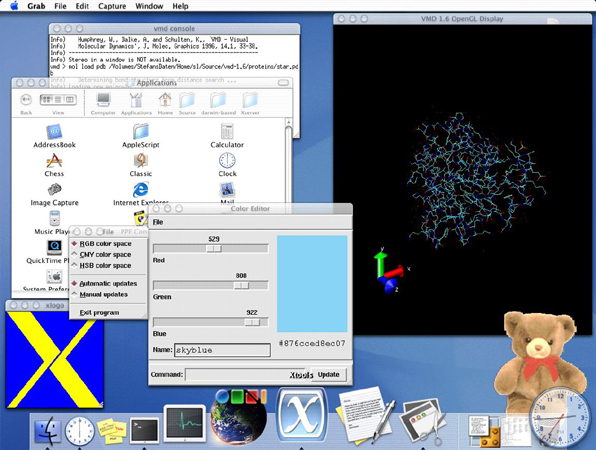
Current Version: 1.2 (March 9, 2003)
Tenon Intersystems the Xtools X Window server package for Mac OS X. From the Xtools web site: "Xtools is a new, built-from-the-ground-up, object-oriented, multi-threaded Cocoa application that takes full advantage of CoreGraphics and Quartz. Xtools is optimized for the velocity engine and multiple processors and supports hardware accelerated OpenGL. Xtools is not only a vehicle for displaying remote X11 client applications, but also for developing local X11 clients. The Xtools X11 libraries let developers build clickable X applications that can be minimized in the Dock. Xtools is based on open source industry standards and is tightly integrated with Mac OS X and Apple technologies."
User Reviews
Currently, no user reviews have been submitted. Send me yours!
Zeus Web Server
Current Version: 4.3r4 (July 30, 2007)
Zeus Technology Ltd. produces Zeus Web Server, a scalable, ultra-high-performance (used by eBay and several other high-traffic sites) UNIX-based Web Server that now runs on Mac OS X.
ZWS 4.3r4 is a minor revision of ZWS 4.3r3, containing a number of bug fixes. Customers are recommended to upgrade as soon as possible. Changes include:
- The Bandwidth Throttling maximum number of simultaneous requests limit now applies across all ZWS processes. Previously each ZWS process applied the limit separately.
- Fix a bug where the 'connections.open' SNMP counter could return incorrect, negative values.
- The "Options" directive in the htaccess support now supports the '+' and '-' notation.
- Prevent a crash when multiple virtual servers share the same SSL certificate.
- Fix a problem where viewing the Current Connections page while SSI requests were being handled could cause a crash.
- X509 Certificate Signing Requests now use the SHA-1 hash algorithm and include the 'attributes' section (required by some certificate authorities).
- Ensure that variables set using a FastCGI authorizer appear in the environment for Java Servlets.
- Improve Perl Extension handling of connections closed early.
- Improve FreeBSD 6 kqueue support.
- PHP has been upgraded to version 4.4.7.
- Ensure 'start on boot' works correctly in Solaris 10 and the newest Ubuntu Linux releases.
Note: From 10th June 2008, Zeus will no longer support Zeus Web Server (ZWS) on several platforms, including Mac OS X. For more details, see the end-of-life announcement page.
User Reviews
Currently, no user reviews have been submitted. Send me yours!
Also See . . .
Can't find what you're looking for? Try a search:
Also, if you have an older Mac, be sure to check out the "Classic" applications page for more options.
Finally, take a look at ALEMIA if you think you know that name of an application, but aren't quite sure.
Built Into Mac OS X
Mac OS X has a huge amount of TCP/IP-based server software built into it that I don't specifically cover here. Your "Sharing" Preference Pane allows you to enable and disable these services with a click of the mouse. The software running behind the scenes to provide many of these services is generally of the open source variety. The standard release of Mac OS X includes, among many others:
- Apache httpd (web server; enabled via the Sharing Preference Pane).
- Postfix (mail server; see Mac OS X Hints for more information).
- tnftpd (FTP server; enabled via the Sharing Preference Pane).
- OpenSSH (Secure Shell server; enabled via the Sharing Preference Pane via "Remote Login" but additionally configurable via selected applications listed on this page).
- BIND (Domain Name System server; see Mac OS X Hints for more information).
- Samba (Windows file sharing; enabled via the Sharing Preference Pane).
- XFree86 (X Window server; enabled via the "X11" application in your "Utilities" folder, if you elected to install it with Mac OS X).
Of course, Mac OS X Server includes many more, in addition to offering more recent versions of many of the above servers.
Related Links
Graham Orndorff has written a superb collection of articles on setting up email servers and secure email clients on Mac OS X.
Also Consider . . .
These are applications that are newer and of potential interest, but which I haven't yet selected for permanent inclusion. Have a look, and let me know if you think they deserve to be part of the permanent collection!